Monday, December 14, 2020

Important policy changes for Google Account storage

                                                                                                                                                                                              
New inactive and over quota storage policies
 ‌ ‌ ‌ ‌ ‌ ‌ ‌ ‌ ‌ ‌ ‌ ‌ ‌  ‌ ‌ ‌ ‌ ‌ ‌ ‌ ‌ ‌ ‌ ‌ ‌ ‌  ‌ ‌ ‌ ‌ ‌ ‌ ‌ ‌ ‌ ‌ ‌ ‌ ‌  ‌ ‌ ‌ ‌ ‌ ‌ ‌ ‌ ‌ ‌ ‌ ‌ ‌  ‌ ‌ ‌ ‌ ‌ ‌ ‌ ‌ ‌ ‌ ‌ ‌ ‌  ‌ ‌ ‌ ‌ ‌ ‌ ‌ ‌ ‌ ‌ ‌ ‌ ‌  ‌ ‌ ‌ ‌ ‌ ‌ ‌ ‌ ‌ ‌ ‌ ‌ ‌  ‌ ‌ ‌ ‌ ‌ ‌ ‌ ‌ ‌ ‌ ‌ ‌ ‌ ‌ ‌ ‌ ‌ ‌ ‌ ‌ ‌  ‌ ‌ ‌ ‌ ‌ ‌ ‌ ‌ ‌ ‌ ‌ ‌ ‌ ‌ ‌ ‌ ‌ ‌ ‌  ‌ ‌ ‌ ‌ ‌ ‌ ‌ ‌ ‌ ‌ ‌ ‌ ‌  ‌ ‌ ‌ ‌ ‌ ‌ ‌ ‌ ‌ ‌ ‌ ‌ ‌  ‌ ‌ ‌ ‌ ‌ ‌ ‌ ‌ ‌ ‌ ‌ ‌ ‌  ‌ ‌ ‌ ‌ ‌ ‌ ‌ ‌ ‌ ‌ ‌ ‌ ‌  ‌ ‌ ‌ ‌ ‌ ‌ ‌ ‌ ‌ ‌ ‌ ‌ ‌  ‌ ‌ ‌ ‌ ‌ ‌ ‌ ‌ ‌ ‌ ‌ ‌ ‌  ‌ ‌ ‌ ‌ ‌ ‌ ‌ ‌ ‌ ‌ ‌ ‌ ‌ ‌ ‌ ‌ ‌ ‌ ‌ ‌ ‌  ‌ ‌ ‌ ‌ ‌ ‌
Dear Google User,
We are writing to let you know that we recently announced new storage policies for Google Accounts using Gmail, Google Drive (including Google Docs, Sheets, Slides, Drawings, Forms, and Jamboard files) and/or Google Photos that bring us in line with industry practices. Since you have previously used one or more of these products in your Google Account storage, we wanted to tell you about the new policies well before they go into effect on June 1, 2021. Below is a summary of the new policies. Please reference our Help Center article for a complete list of what's changing.
Summary of the new policies (effective June 1, 2021):
If you're inactive for 2 years (24 months) in Gmail, Drive or Photos, we may delete the content in the product(s) in which you're inactive. Google One members who are within their storage quota and in good-standing will not be impacted by this new inactive policy.
If you exceed your storage limit for 2 years, we may delete your content across Gmail, Drive and Photos.
What this means for you:
You won't be impacted by these changes unless you've been inactive or over your storage limit for 2 years. As this policy goes into effect June 1, 2021, the earliest it would be enforced is June 1, 2023.
After June 1, 2021, if you are either inactive or over your storage limit, we will send you email reminders and notifications in advance and prior to deleting any content.
Even if you are either inactive or over your storage limit for one or more of these services and content is deleted, you will still be able to sign in.
Note: The inactivity and over quota storage policies will apply only to consumer users of Google services. Google Workspace, G Suite for Education and G Suite for Nonprofits policies are not changing at this time, and admins should look to the Admin Help center for storage policies related to their subscriptions.
Learn more about how to keep your account active
To learn more about how to remain active with these products, visit this Help Center page.
The Inactive Account Manager can help you manage specific content and notify a trusted contact if you stop using your Google Account for a certain period of time (between 3-18 months). Note: the new 2 year inactive policy will apply regardless of your Inactive Account Manager settings. You can learn more about these changes and ways to manage your or a loved one's account in our Help Center.
Learn how to manage your storage
Learn more about the over quota policy and what counts against storage quota.
You can use the free storage manager in the Google One app and on the web to see how you're using your Google Account storage, and free up space across Gmail, Google Drive, and Google Photos.
Your Google Team

Tuesday, February 25, 2020

Learn more about our updated Terms of Service

Google
Updating Our Terms of Service
We're improving our Terms of Service and making them easier for you to understand. The changes will take effect on March 31, 2020, and they won't impact the way you use Google services.
For more details, we've provided a summary of the key changes and Frequently Asked Questions. At a glance, here's what this update means for you:
Improved readability: While our Terms remain a legal document, we've done our best to make them easier to understand, including by adding links to useful information and providing definitions.
Better communication: We've clearly explained when we'll make changes to our services (like adding or removing a feature) and when we'll restrict or end a user's access. And we'll do more to notify you when a change negatively impacts your experience on our services.
Adding Google Chrome, Google Chrome OS and Google Drive to the Terms: Our improved Terms now cover Google Chrome, Google Chrome OS, and Google Drive, which also have service-specific terms and policies to help you understand what's unique to those services.
No changes to our Privacy Policy: We're not making any changes to the Google Privacy Policy and we haven't made any changes to the way we treat your information. As a reminder, you can always visit your Google Account to review your privacy settings and manage how your data is used.
If you're the guardian of a child under the age required to manage their own Google Account and you use Family Link to manage their use of Google services, please take some time to discuss these changes with them.
And of course, if you don't agree to our new Terms and what we can expect from each other as you use our services, you can find more information about your options in our Frequently Asked Questions.
Thank you for using Google's services.
Your Google team

Wednesday, November 6, 2019

Changes to YouTube’s Terms of Service

YouTube
We're updating our Terms of Service ("Terms") to improve readability and transparency. This update does not change the Google Privacy Policy, nor the way we collect and process your data.
We've provided a summary of key changes but here's what you can expect:
Terms that are clearer and easier to understand with useful links to help you navigate YouTube and better understand our policies.
Expanded commitments to notify you about changes that may affect you, such as product updates or future changes to the Terms; and
Better alignment between our Terms and how YouTube works today.
The new Terms will take effect on 10 December, 2019. Please make sure you read the updated Terms carefully. If you would like more information, you can find additional information in our Help Center.
If you allow your child to use YouTube Kids, then please note that you are agreeing to the new Terms on behalf of your child as well.
You can always review your privacy settings and manage how your data is used by visiting your Google Account.
Thank you for being part of the YouTube community!
© 2019 Google LLC, 1600 Amphitheatre Parkway, Mountain View, CA 94043.
You have received this mandatory service announcement to update you about important changes to the YouTube Terms.

Wednesday, August 29, 2018

Comment subscription request from 'Dress Up & Pretend Play Store'

Hi, fuad.darsono@gmail.com! It’s been a while. We would like to confirm that you still want to receive email notifications when new comments on blog Dress Up & Pretend Play Store have been published.
Please click the Maintain Subscription link below to continue receiving new comment email notifications from this blog. If you don’t want these email notifications, you can just ignore this message, or click the Decline link below.

If you want to stop receiving comment email notifications for this blog, you can click the opt-out link here or in any of the notification emails.

Maintain Subscription
Decline

Monday, May 14, 2018

Improvements to our Privacy Policy and Privacy Controls

Google
Updating Our Privacy Policy
This month, we're updating our Privacy Policy to make it easier for you to understand what information we collect and why we collect it. We've also taken steps to improve our Privacy Checkup and other controls we provide to safeguard your data and protect your privacy.
Nothing is changing about your current settings or how your information is processed. Rather, we've improved the way we describe our practices and how we explain the options you have to update, manage, export, and delete your data.
We're making these updates as new data protection regulations come into effect in the European Union, and we're taking the opportunity to make improvements for Google users around the world.
Making our Privacy Policy easier to understand
Simpler structure & clearer language
We've improved the navigation and organization of the policy to make it easier to find what you're looking for. We've also explained our practices in more detail and with clearer language.
New descriptive videos & illustrations
Often a visual description is easier to understand than text alone, so we've added short videos and illustrations throughout the policy.
Embedded privacy controls
We've made it easier to jump to key settings directly from the policy, helping you make choices about your privacy.
The revised policy is available here and will take effect on May 25, 2018.
Improving your privacy controls
Within the past year, we updated My Activity so that you can better access and manage the data in your Google Account. We also launched a redesigned Dashboard, which allows you to easily see an overview of products you're using and your data associated with them.
This month, we've updated our Privacy Checkup with new illustrations and examples to help you make more informed choices about your key privacy controls. And since we understand that your preferences may change over time, the new Privacy Checkup enables you to sign up for regular reminders to check your privacy settings.
To learn more about these and other controls to manage your privacy, visit your Google Account.

Friday, July 22, 2016

YouTube: Save now. Watch later.

YouTube
There's a smarter way to watch YouTube without quota worries.
Save videos offline when you have connectivity, so you can enjoy them anytime, anywhere, without worrying about quota.
How to save a video offline:
Open the YouTube app Open the YouTube app
Tap the offline button Tap the offline button
Watch your video offline Watch your video offline
Enjoy all of these popular videos offline:
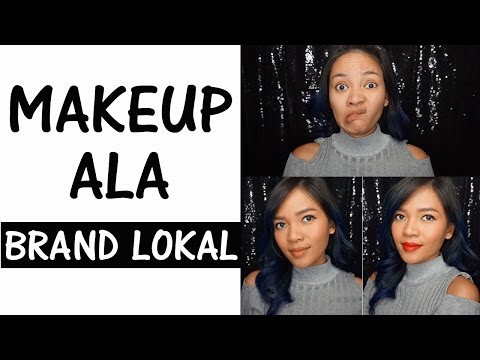
Natural Makeup Ala Brand Lokal Natural Makeup Ala
Brand Lokal

rachel goddard
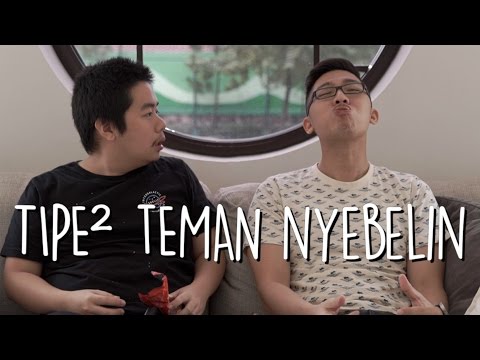
9 TIPE TEMEN NYEBELIN 9 TIPE TEMEN
NYEBELIN

LASTDAY Production
Have questions? Get answers for Android users here and iOS users here.
Happy watching,
The YouTube Team
This email was sent to fuad.darsono@gmail.com because you indicated that you are willing to receive the latest trending video, hot music, and announcement emails. If you do not wish to receive such emails in the future, please unsubscribe here. You can also change your preferences by visiting your Email Options in your YouTube account.

Saturday, December 14, 2013

YouTube’s top 10 trending videos of 2013

View email in a web browser

YouTube Rewind 2013

Did you "Harlem Shake" your way through 2013? Did you learn table manners from animals? Most importantly, did you ever figure out what the fox says? This year's top trending videos helped us answer these questions and more. Now take a moment to rewind through the YouTube moments that made the year in our video mashup celebrating 2013.

Top Trending Videos of 2013

You've waited and it is finally here...how many have your seen?

Ylvis - The Fox (What Does the Fox Say?)

Ylvis - The Fox (What Does the Fox Say?)   

Tvnorge

279,216,712 views

Harlem Shake (original army edition)

Harlem Shake (original army edition)     

Kenneth HÃ¥konsen

95,863,387 views

How Animals Eat Their Food

How Animals Eat Their Food

MisterEpicMann

89,556,400 views

Miley Cyrus - Wrecking Ball (Chatroulette Version)

Miley Cyrus - Wrecking Ball (Chatroulette Version)

SteveKardynal

79,741,488 views